Musicians learn one song across a player, chord charts, tutorials, lyrics and practice tools, and lose sync with the exact version they are trying to learn.
Echo
Case study · Hackathon project
Echo
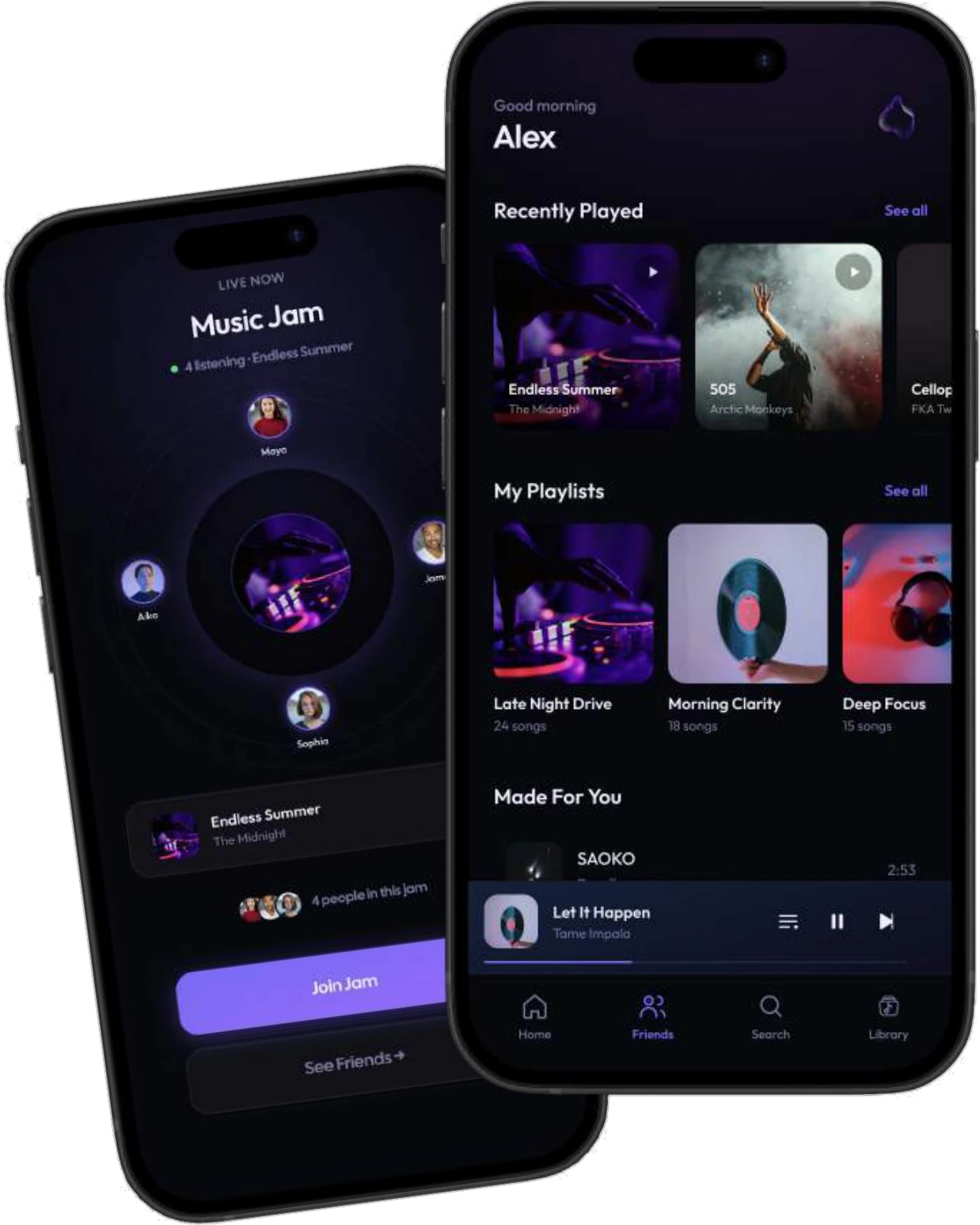
A music app that closes the gap between listening to a song and learning it. The idea: put the learning layer inside the player, tied to the exact version you are hearing.
01 — The idea in 30 seconds
Learning a song should not mean leaving the song
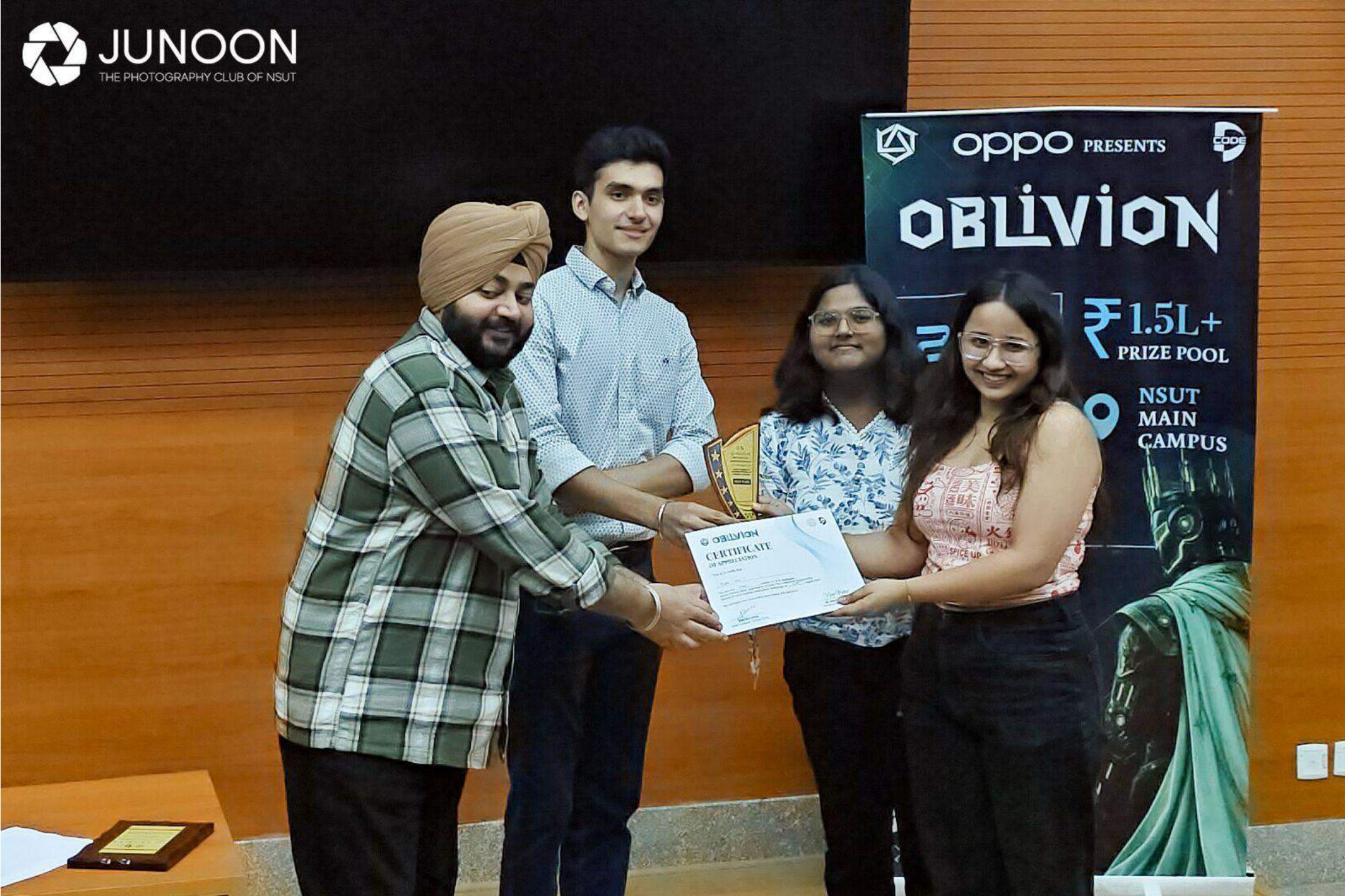
Echo was built in a few hours, by two interns, for the NSUT Oblivion Hackathon. It won first prize among 150+ teams.
The one thing that stays constant is the song. Everything a learner needs should hang off the exact track and version.
Stream the full catalogue, tap Learn, and get synced chords, tabs, lyrics, tempo, loops and a Jam in one place.
02 — The user
Meet Aditi: a beginner guitarist, four tabs, one song, still lost
Aditi is prepping a song for a sangeet. What she says and does shows the problem more clearly than any feature list.
Says
- "Wait, which video was I on?"
- "Is this the right version?"
- "I lost my place again."
Thinks
- Am I even playing this right?
- This is taking forever.
- There must be an easier way.
Does
- Switches between 3 to 4 tabs
- Pauses and rewinds the tutorial
- Screenshots chords mid-video
- Restarts the song from scratch
Feels
- Frustrated, loses momentum
- Unsure if practice is correct
- Overwhelmed by scattered tools
- Tempted to give up early
03 — The gap
Everyone solves a slice. Nobody keeps it in one place.
We compared four tools learners use today. Each is best at one thing. Echo puts the four things that matter in one place, and we name its own gap honestly: streaming master audio needs licensing.
- Full licensed catalogue
- Live AI stems on the stream
- Version-synced chords
- Native practice controls
| Feature | Yousician | Ultimate Guitar | Moises.ai | Simply Piano | Echo |
|---|---|---|---|---|---|
| Core value | Gamified practice and interactive lessons | Interactive tab/chord directory | AI audio isolation and track manipulation | Interactive beginner piano learning | All-in-one practice-integrated music streaming |
| Audio source / catalogue | Synthesized MIDI, limited licensed backing tracks | Synthetic MIDI, community uploads | User file upload (MP3/WAV/YouTube links) | Fixed curriculum library, limited pop songs | Full licensed streaming catalogue (master audio) |
| Live stem separation | Pre-rendered tracks only | No | Market leader (AI vocal, drum, bass, guitar) | No | Integrated AI stems (mute/isolate on live stream) |
| Interactive chords & tabs | Gamified falling-notes view | Market leader (800k+ tabs, auto-scroll) | Basic AI chord detection | Sheet-music style | Version-synced chords (matched to the exact audio) |
| Pitch shift / transpose | Strictly tuned to standard | Transposes chord text only | Real-time audio pitch shifter | No | Audio transpose and key match for singers and players |
| Practice tools (BPM / loop) | Tempo control in lessons | Metronome and static autoscroll | Best in class (smart metronome, A-B looper) | Lesson-bounded looping | Native player controls (A-B loop, speed without pitch drift) |
| Primary friction / gap | Feels like a rigid classroom app, not a daily player | Tabs often mismatch specific live/acoustic versions | High upload friction; not a discovery app | Locked to piano; no singer/jam utility | High licensing requirement for master streaming |
04 — The solution
Echo: learn it where you hear it
Five product decisions, all with one rule: learning content stays tied to the exact song.
- Playback, lyrics, chords/tabs and tutorials around the same song.
- Keep learning content tied to the exact track and version.
- Slow down, loop, count in and control tempo without leaving the song.
- Role- and instrument-aware views, key and difficulty adjustments.
- Save progress, context and the next section to resume.
05 — How it works
From a shared song to a practice session, in five steps
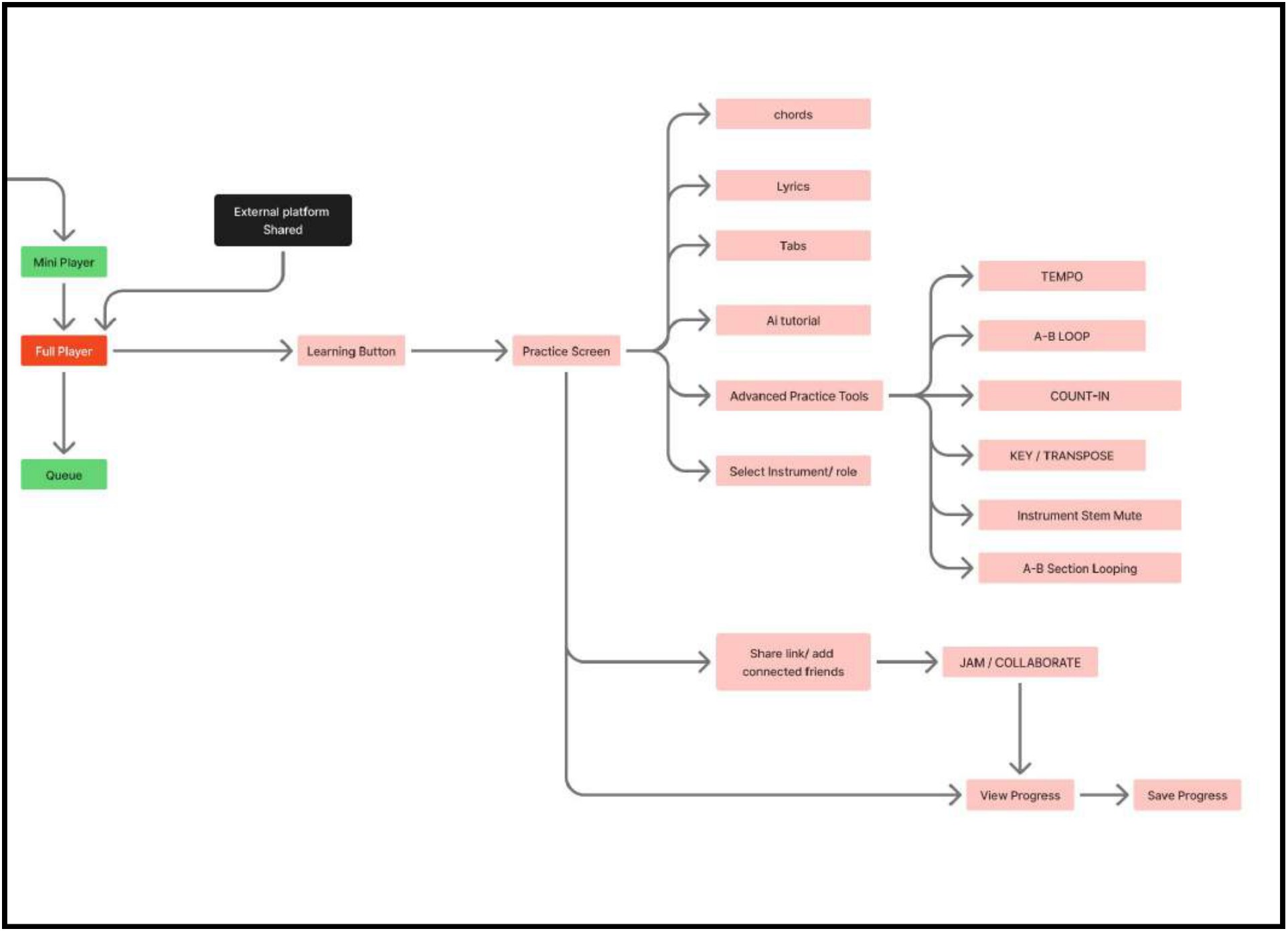
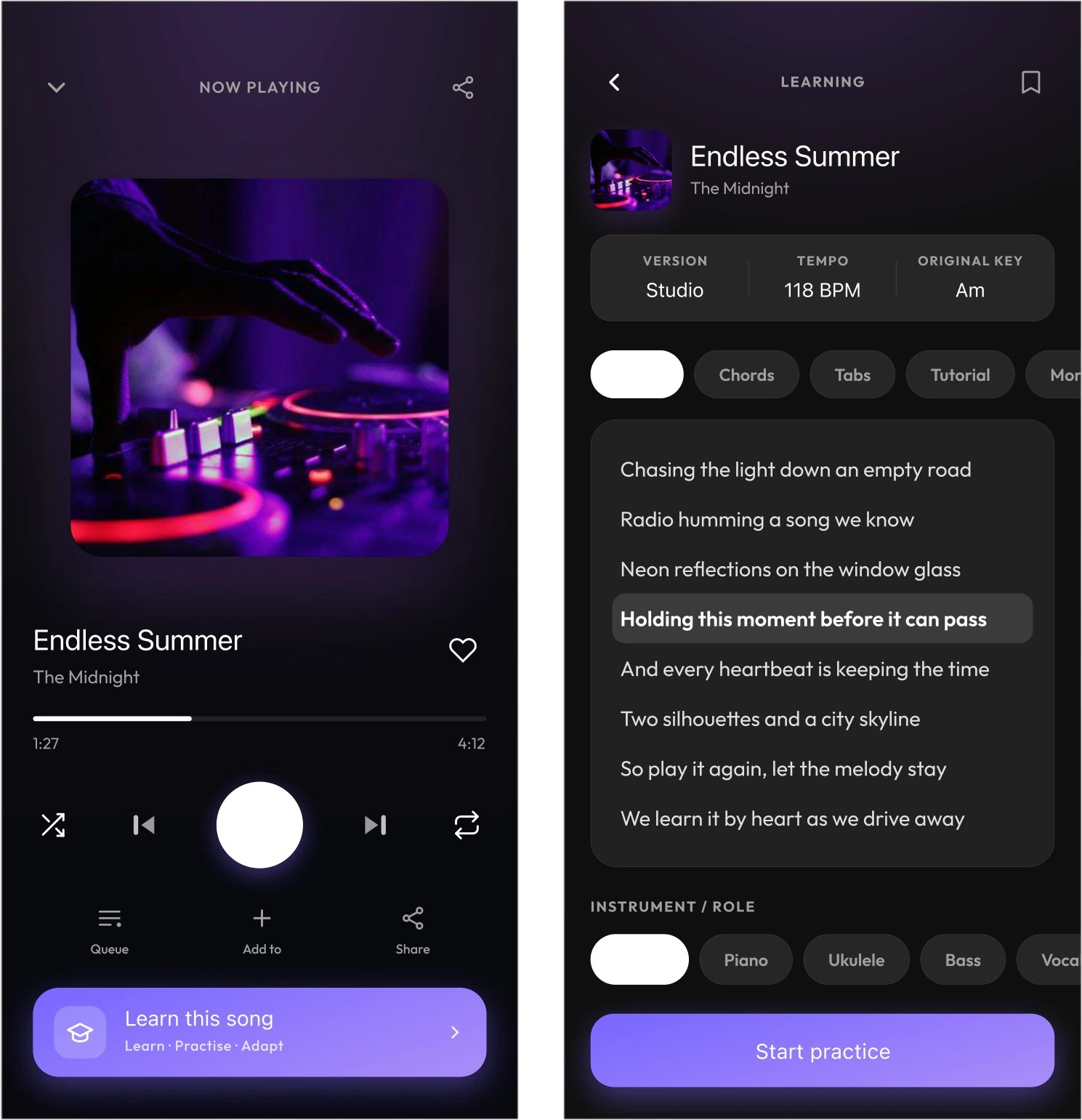
The demo is a clean two-screen story: the player, then the learning view.
- 01
Share to Echo
Share the song from any platform. No copy-pasting a link.
- 02
Full player
The full media player opens on that exact song.
- 03
Click Learn
One tap opens a view tied to the version: studio cut, 118 BPM, key of Am.
- 04
Practice
Pick an instrument or role. Chords, tabs and lyrics follow the song. Slow down, loop, count in, transpose.
- 05
Jam
Take it to friends, and save your progress to resume.
06 — The process
How we got here: two rounds, one pivot
A few hours, two rounds, and one working flow that we threw away. Here is the path, then each step.
- 01Round 1 briefFix streaming apps
- 02Wireframes and systemStructure, then violet
- 03The brief changesLearning a song
- 04ResearchAditi and competitors, see 02 and 03
- 05Three rejected flowsEach with a reason
- 06Final flowPrototype, see 04 and 05
07 — Step 1 · Round 1: the brief
Streaming apps bury the music you already love
Round 1 asked how a streaming app could work better for the people who use it every day. Four problems kept showing up.
- Cluttered home screens. Apps prioritise recommendations, podcasts and new content, making your own music harder to reach.
- Hidden personal library. Saved songs and playlists get buried, though users keep returning to music they already know.
- Friction in listening. Simple actions like adding a song to the queue take unnecessary steps and interrupt the flow.
- Disconnected social listening. Sharing and listening together with friends isn't seamless, so music feels less personal.
Listen
Start with music you already know: Recently Played, Saved Songs, Playlists.
Discover
Contextual recommendations when you want something new, without an overwhelming feed.
Connect
Share, Jam or Blend directly from the music you're listening to.
08 — Step 2 · Wireframes
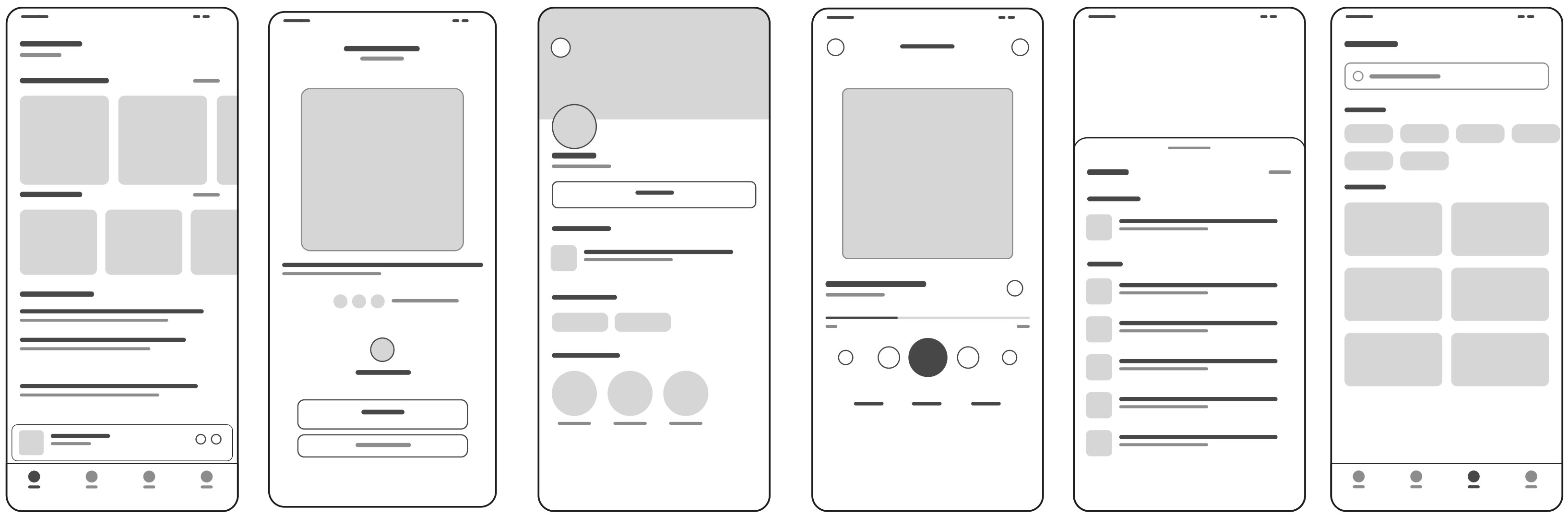
Six screens, structure first
Before any colour, the question was where things live: your music on top, discovery second, people third.
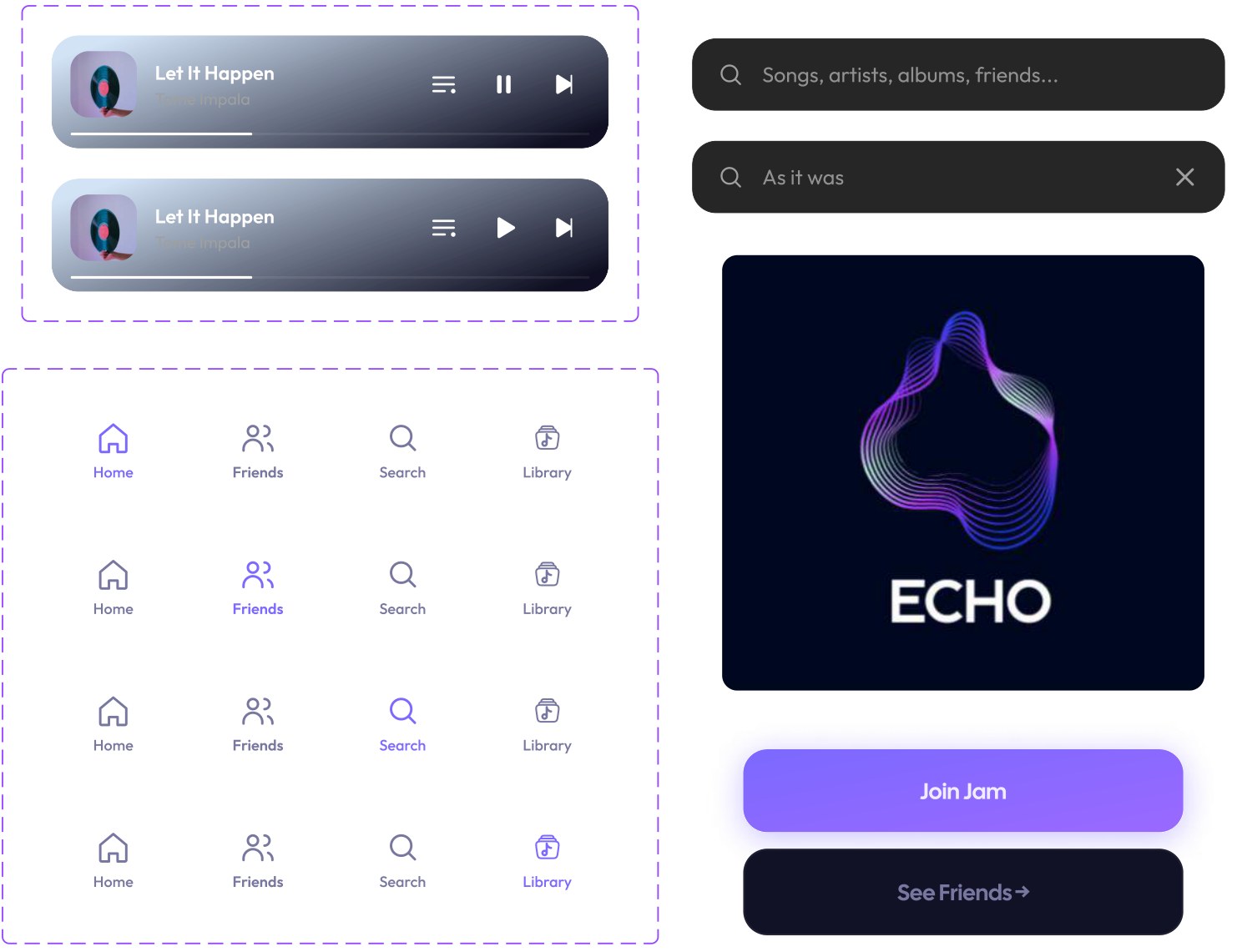
09 — Step 2 · Design system
Violet on near-black
#7C69FF
#121226
#7777A0
#FFFDFF
DisplayCal Sans
TextOutfit
10 — Step 2 · Final screens
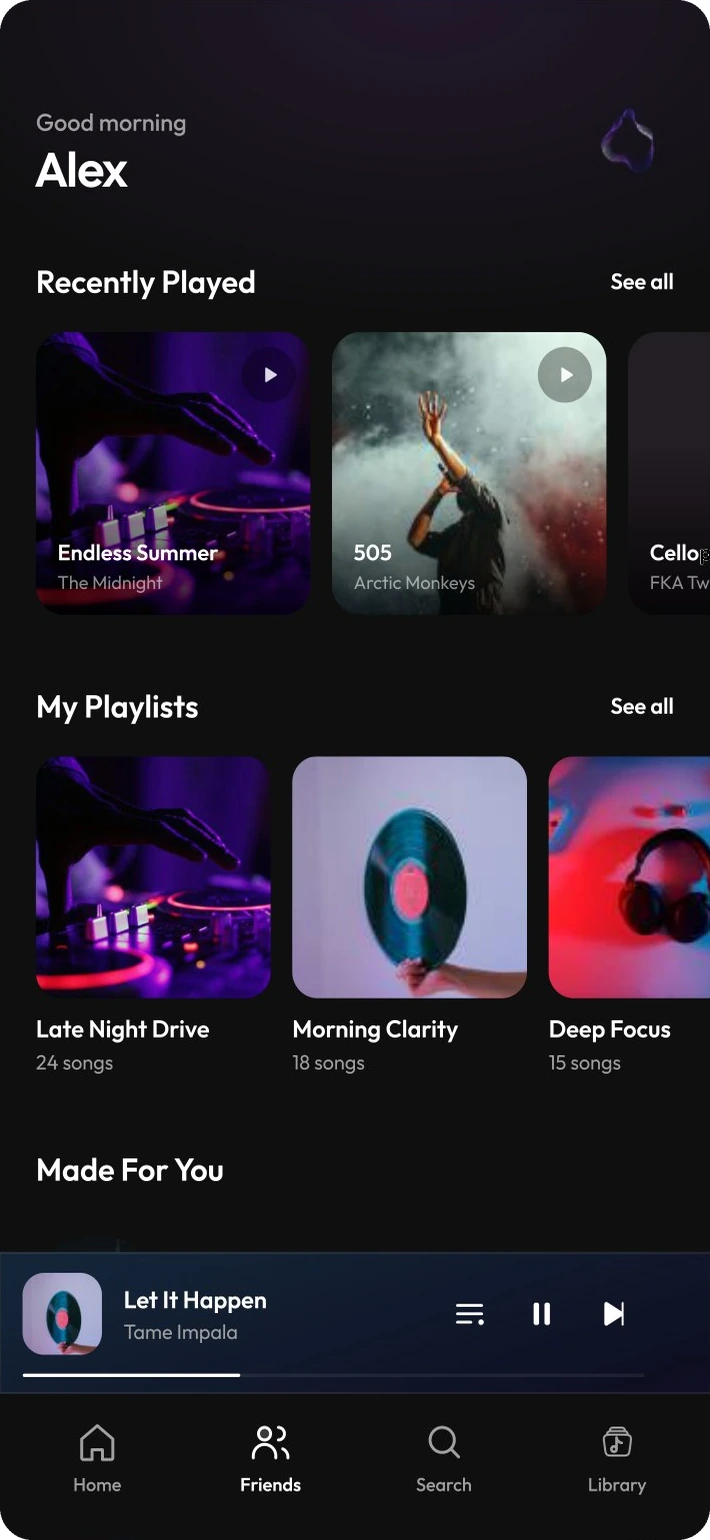
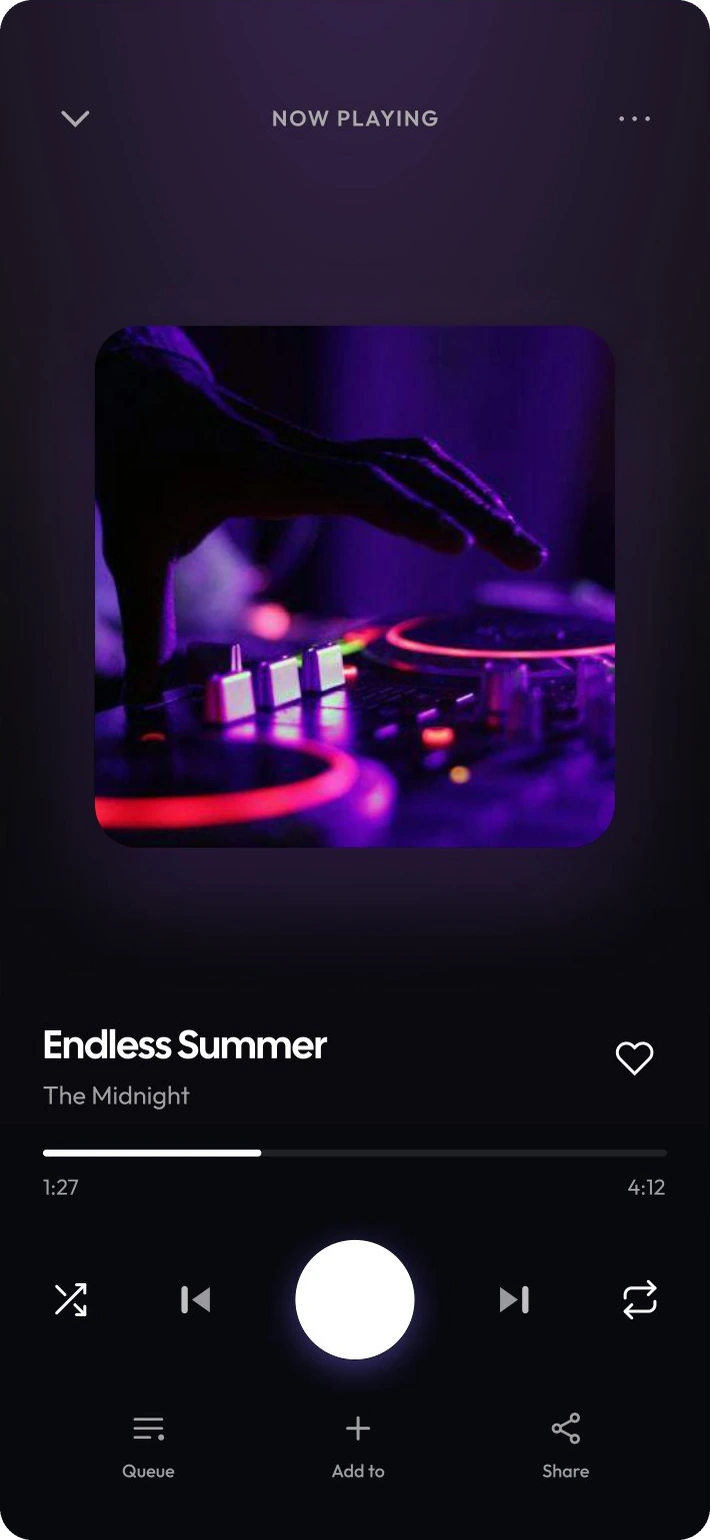
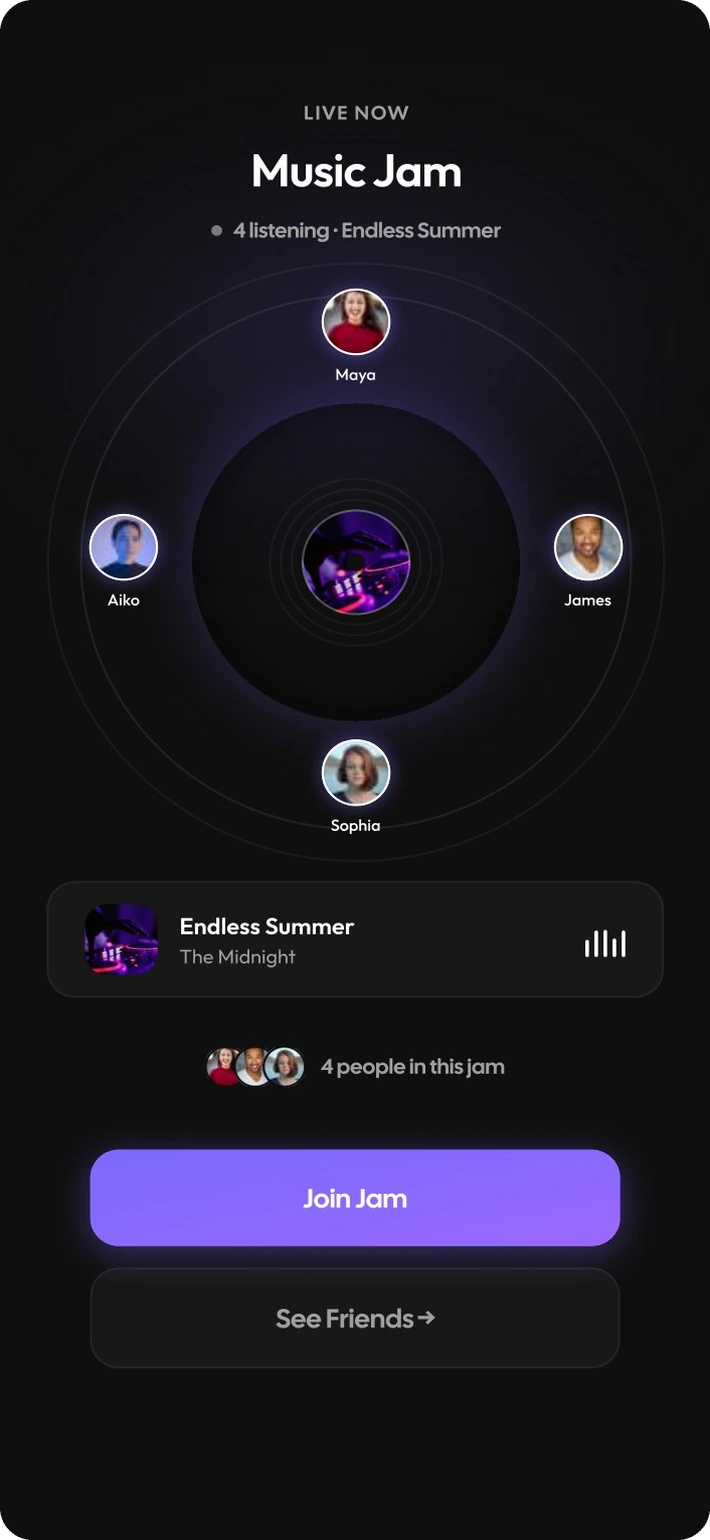
Home, player, Jam, search
Your library first. Jam and Blend sit one tap away from whatever is playing.
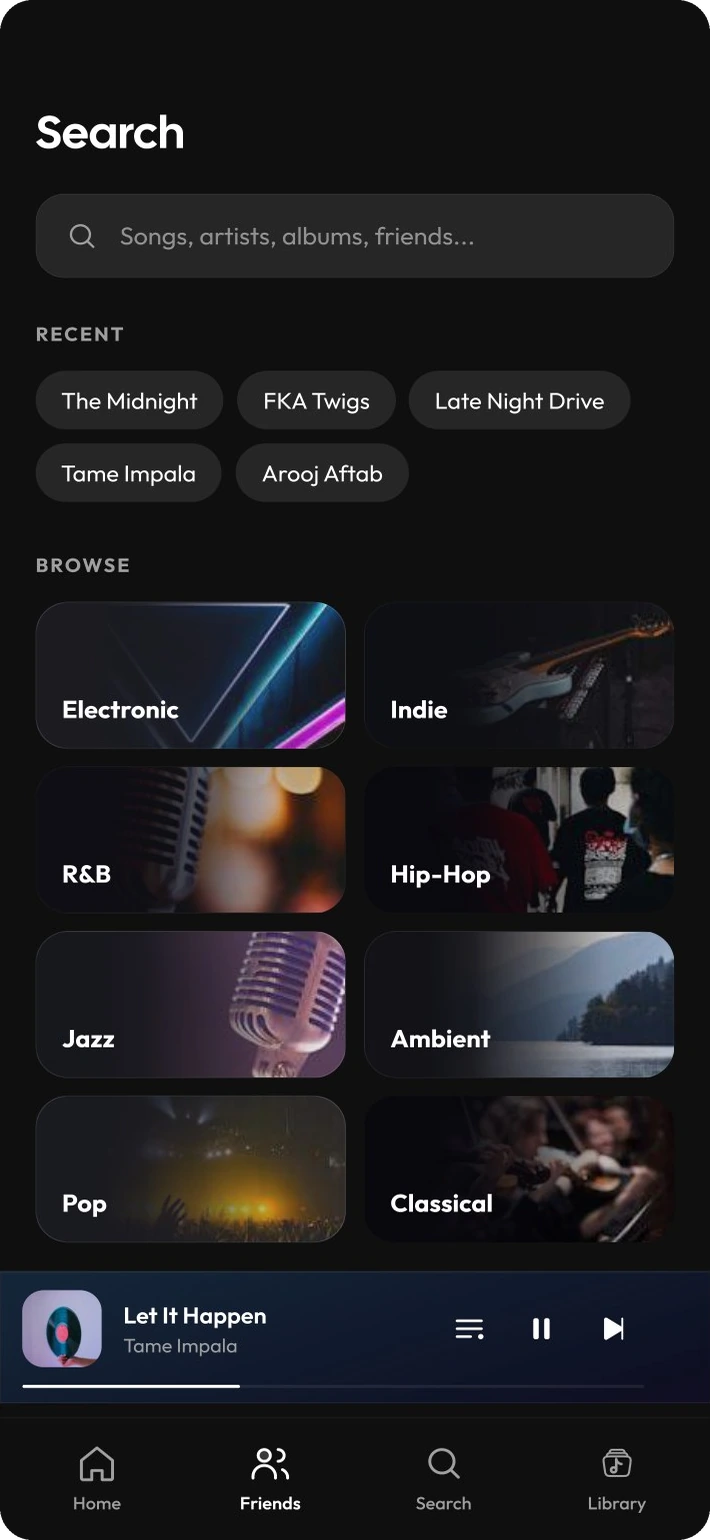
11 — Step 3 · The pivot
Halfway through, the brief changed. We threw away a working flow.
Round 1 asked us to fix streaming apps. Round 2 asked a different question: why is learning a song so hard? That meant a new problem statement, a new user and a new flow, with the clock still running.
12 — Step 5 · Rejected flows
Three flows we threw away
Each rejected flow taught us something the final flow keeps. We could only throw them away because we could say why.
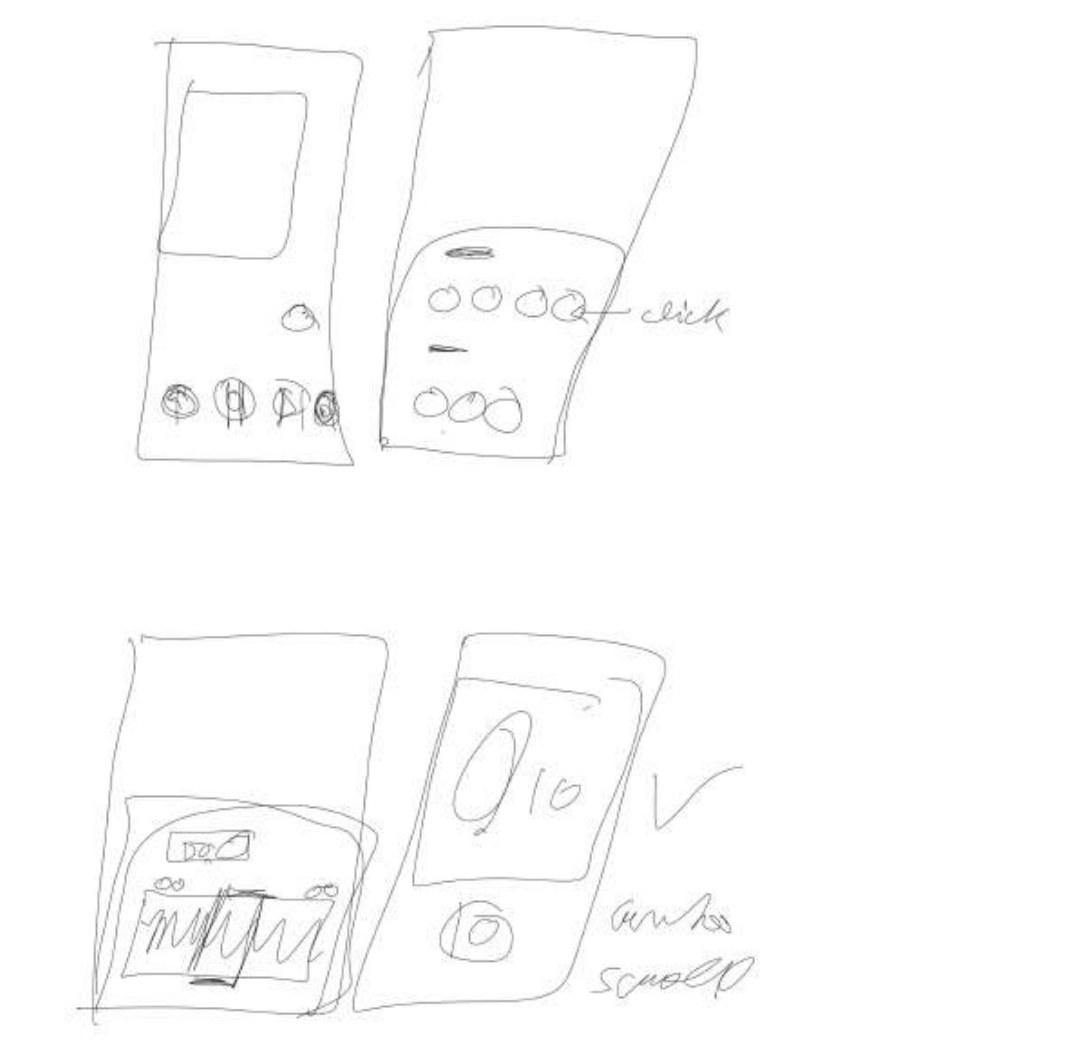
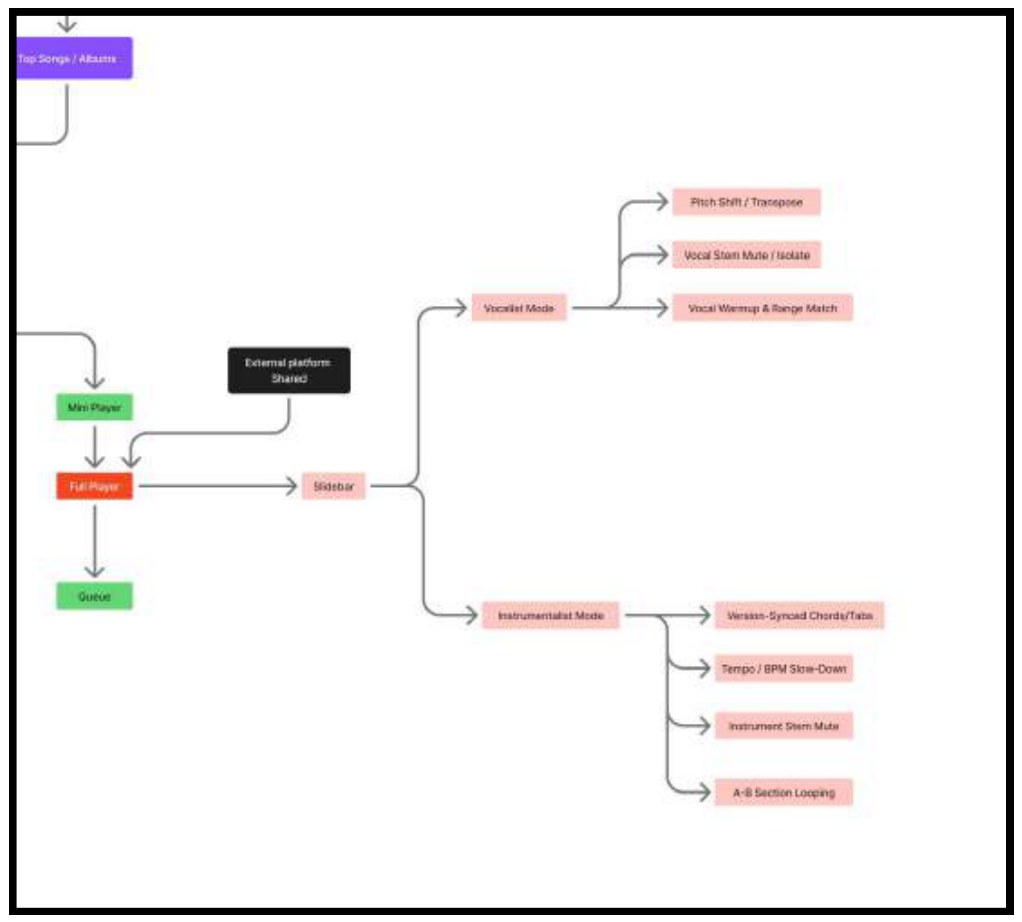
ThenThe user chooses between instrumentalist and vocalist mode.
IssueOnly one feature at a time. Blending the two doesn't work.
ThenNo sharing, no Jam, no saved progress.
IssueUsers can't collaborate or pick up their previous practice.
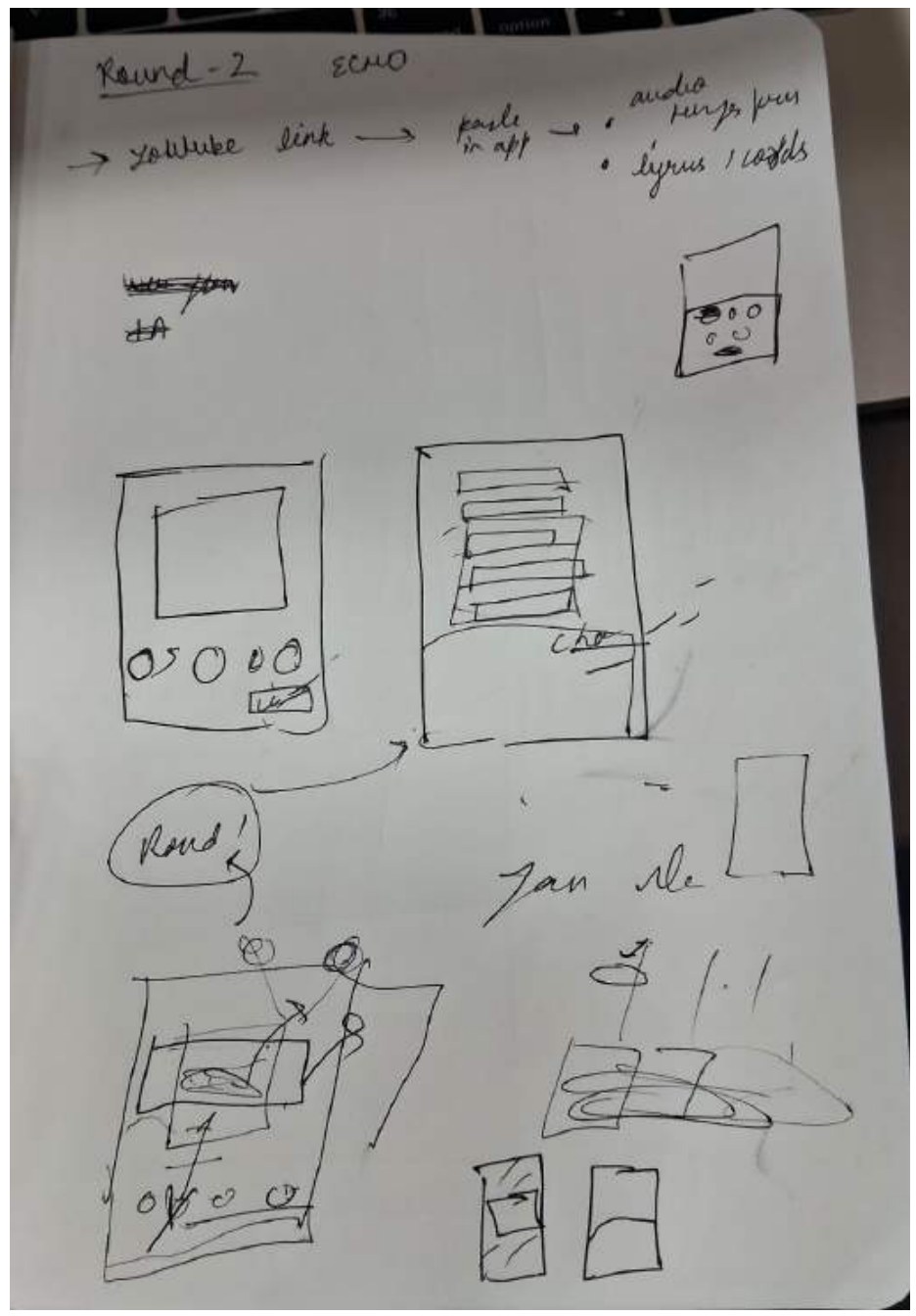
ThenUsers copy and paste a link into the app.
IssueFriction.
FixShare the song from any platform to Echo. The full media player opens.
13 — The result
First prize
Between 150+ teams, our research and idea made it to the top place, with a chance to publish the app.
14 — Reflection
Defend the decision, not the first idea
The mid-hackathon pivot meant discarding a working flow and restarting persona research under time pressure. I trusted my fellow intern and we pushed each other.
Having to state why a flow was rejected made me a more deliberate designer than shipping the first version I liked.
That was Echo
Up next
More case studies are on their way: MyDayss, then the branding work and a playzone for everything else.